
Radar Speed Display
A 12-inch LED speed display that shows live pitch or serve speed from a Stalker Bullet or compatible radar gun.
$1,184.00
Details
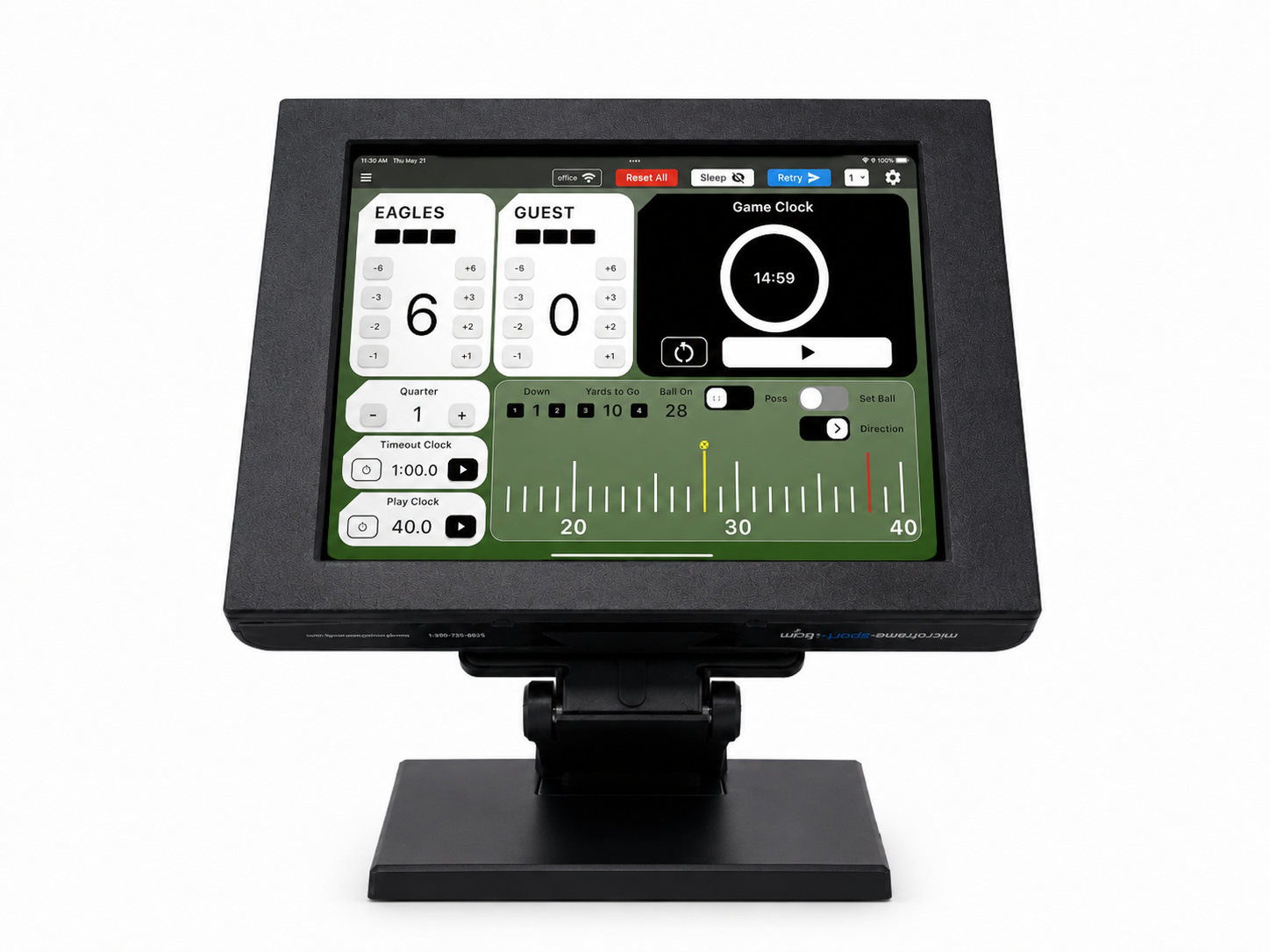
The iPad scoring controller for Microframe boards. One person runs the score, the clocks and the game from the sideline, the stands or the press box.
Score, clocks, possession and board control in one app your volunteers can learn in minutes.
Basketball, football, baseball, softball, soccer, volleyball and wrestling all run from the same app.
The iPad connects wirelessly, so you can run the board from the sideline, the stands or the press box.
Big buttons, plain labels and a guided walkthrough let one volunteer handle the score and the clocks.
Game, timeout, shot and play clocks run from the same screen, with quick plus and minus adjustments.
Flip an Omniboard to the sponsor screen, play a hype clip and return to the game with a tap.
Mirror the score to microframesports.com so families and fans can follow from home.
The MSXC is Microframe's iPad multi-sport scoreboard controller. It replaces the old keypad and the crew behind it. Open the app, pick your sport, tap start, and keep the game moving. Big buttons and plain labels mean a parent, a student or a volunteer can run the board after a few minutes with it.
One app covers the whole season. It scores basketball, football, baseball, softball, soccer, volleyball and wrestling, and each sport gets its own screen: downs and the yard line for football, fouls and the bonus for basketball, balls, strikes and outs for baseball. Switch sports in a couple of taps. Team names, team colors, logos and clock rules are set once in Settings, and a built-in walkthrough explains every control the first time you use it.
The iPad talks to the board wirelessly over your venue's network. It finds Microframe scoreboards on that network and sends them scores and clocks. On an Omniboard it also switches the sport, flips to the sponsor screen, plays game-hype clips, and sets sleep and brightness. On a Videoboard it feeds Studio OS live scores and clocks. It also drives Microframe shot clocks, such as the MSXT12, from the same screen.
Scores can also be mirrored to microframesports.com, so fans follow the game online while you run it. The controller is designed and supported by Microframe in Broken Arrow, Oklahoma. Call 1-800-635-3811 with questions before you order.
| Model | MSXC |
|---|---|
| Platform | iPad app (Microframe Sports Controller) |
| Sports | Basketball, football, baseball, softball, soccer, volleyball, wrestling |
| Connection | Wireless, over the venue's local network |
| Works with | Microframe scoreboards, Omniboards, Videoboards (Studio OS) and MSXT12 shot clocks |
| Team setup | Team names, colors and logos (PNG with transparent background recommended) |
| Online scores | Optional score mirror to microframesports.com |
| Shipping | FedEx, calculated at checkout |
Hand the iPad to a parent or a student and they are ready. The menu has three things: Sport, Settings and Support. Turn on the walkthrough and pop-ups explain each control on the sport screen.
Two buttons stay close by. Sync re-sends everything to the board if it stops updating or after you switch sports. Sleep rests the tablet between games.
The controls match the game, so the operator is never hunting for a button.
Plus-3, plus-2 and plus-1 scoring, fouls, bonus, timeouts, possession arrow and a Sub button that sounds the horn. The shot clock starts with the game clock and resets to your default.
Touchdown, field goal, two-point and extra-point buttons. Set the ball on a field scroller, and yards to go and the down update for you. Set Ball mode lets you stage a change before it goes live.
Balls, strikes and outs on their own screen, with team names, colors and logos set once in Settings.
The same app covers soccer, volleyball and wrestling, so one controller serves every season on your calendar.
The MSXC runs Microframe scoreboards, Omniboards and Videoboards. It also drives Microframe shot clocks, including the MSXT12, which needs this controller. On a Videoboard, the iPad feeds Studio OS live scores and clocks.
Wirelessly, over your venue's local network. The app searches that network for Microframe boards and sends them scores and clocks. You don't need to run a cable to a control booth.
The MSXC is the iPad scoring controller set up for Microframe boards. Controller case, VESA mount and stand options are also available. Call 1-800-635-3811 and we will confirm the current configuration before you order.
Plan on one per court or field that runs its own board. If you are not sure, call us and we will map it out for your facility.
Yes. The controller can mirror live scores to microframesports.com, so families and fans can follow the game from anywhere.
Lead times vary. Call 1-800-635-3811 for current availability.
A 12-inch LED speed display that shows live pitch or serve speed from a Stalker Bullet or compatible radar gun.

A wired three-button box for Microframe tennis scoreboards. Players keep score at the court with no phone, tablet or app.
Tell us which boards you run and we will confirm the right controller setup. Call 1-800-635-3811.