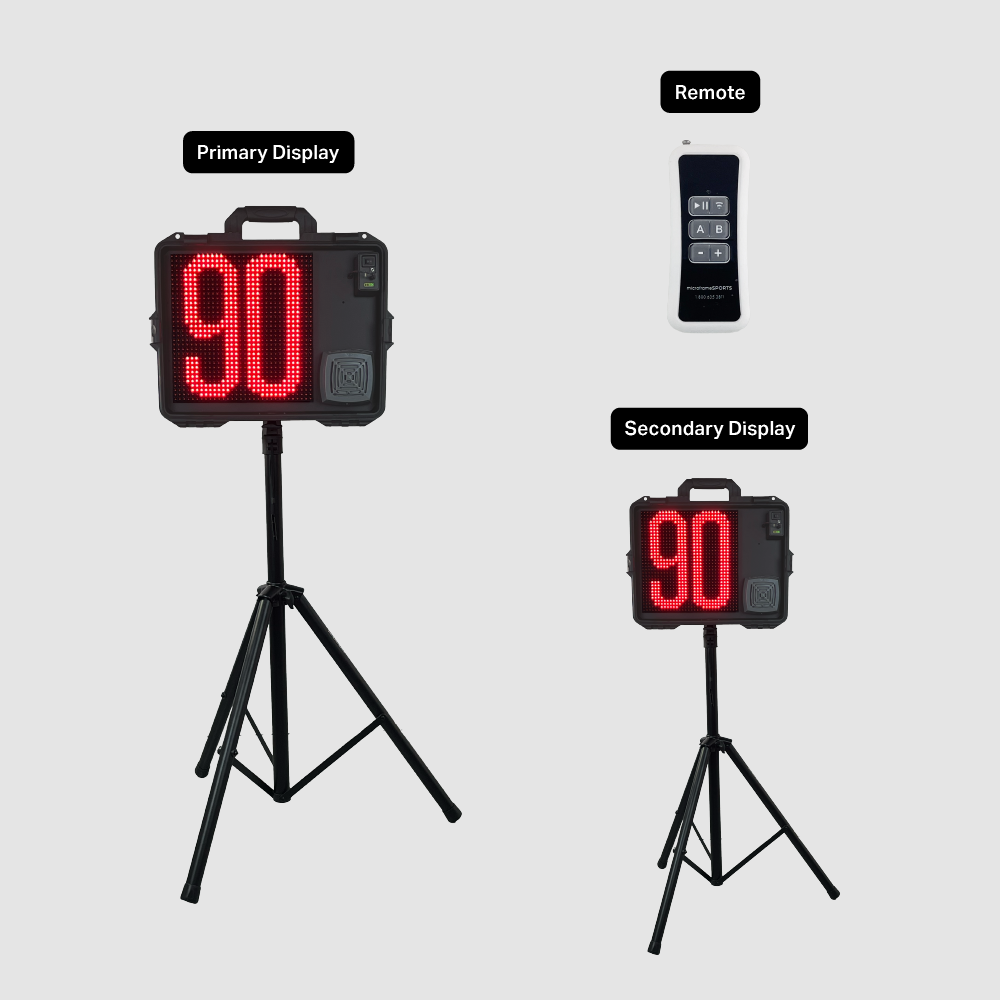
12-Inch Wireless Lacrosse Shot Clock System, 2 Displays
Two portable 12-inch LED shot clocks on tripods, with a wireless remote, a wired button box, a rechargeable battery and a built-in horn.
$2,948.00
Details
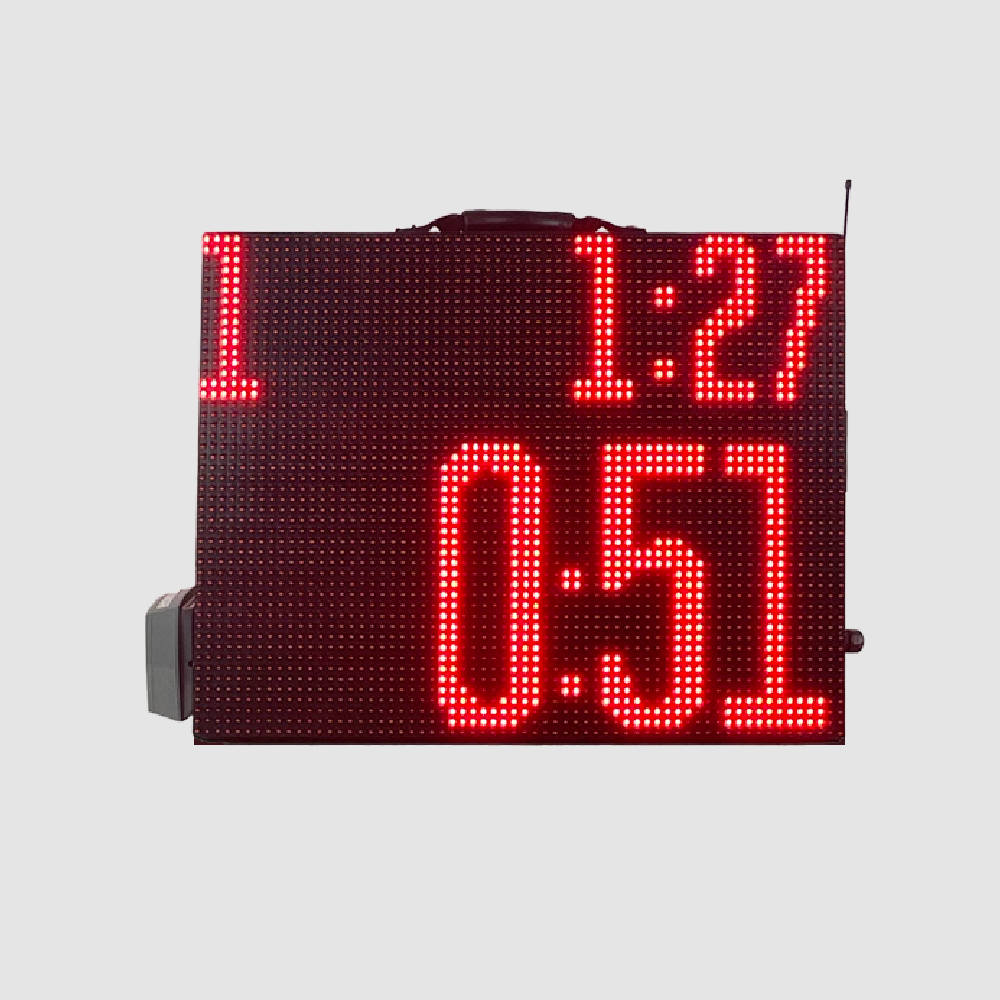
Program your whole practice once, then run it hands-free. A portable, double-sided red LED timer with app and remote control and warning and final horns.
Program the session from your phone, then start, pause and adjust from anywhere on the field.
Build a list of timed segments in the app, each with its own warning and final horn.
Program the session in the free Microframe Segment Timer app for iOS and Android and send it to the timer.
Play, pause, skip ahead and adjust seconds from anywhere on the field.
Audible cues tell athletes when to push and when to stop, with no whistle needed.
Repeat any segment a set number of times for intervals and circuits.
A double-sided briefcase build with a carry handle that sets up in seconds.
Run a tighter practice. Program the whole session once: warm-ups, drills, stations, conditioning and water breaks. The Segment Timer then runs the clock for you while you coach. Bright red digits keep the whole field moving without a whistle.
You build the segment list in the free Microframe Segment Timer app for iPhone and Android. Give each segment its own duration, an optional warning horn a few seconds before it ends, and a final horn when time is up. You can set any segment to repeat for interval and circuit work. Then send the list to the timer over Bluetooth.
On the field, the included handheld wireless remote does the rest. Play/Pause starts and stops the countdown. B steps to the next segment. Plus and minus add or remove seconds. Holding A saves the adjusted time to the active segment. The display shows the segment number and that segment's length on top, with a big countdown below.
The timer is built into a rugged briefcase with a carry handle and shows digits on both sides, so it goes from the gym to the field to the track. It is designed and built to order by Microframe in Broken Arrow, Oklahoma.
| Model | MSAST0302 |
|---|---|
| Display | Two-line red LED, double-sided |
| Digit height | 6 in and 12 in |
| Top line | Segment number and segment time |
| Bottom line | Countdown for the current segment |
| App | Free Microframe Segment Timer app, iOS and Android (App Store and Google Play) |
| App connection | Bluetooth |
| Remote | Handheld wireless remote included (Play/Pause, Sync, A, B, +/-) |
| Horns | Per-segment warning horn and final horn |
| Repeat | Per-segment repeat count |
| Power | AC |
| Enclosure | Portable briefcase with carry handle |
| Shipping | FedEx, calculated at checkout |
Practice runs on a schedule, but somebody has to keep it. The Segment Timer keeps it for you. Load the whole session, press start, and it counts down each drill, sounds a warning before the switch and a final horn when time is up, then moves to the next segment.
The display shows which segment you are on and that block's length on the top line, with a big countdown underneath, on both sides of the case.
Two ways to control it: program it in the app, then run it with the remote.
In the free Microframe Segment Timer app, set each segment's minutes and seconds, add a warning horn and a final horn, and choose how many times it repeats.
Attach the antennas, plug in the timer, and tap the Bluetooth icon to connect. Tap Send to load your list. Tap Get to read back what is stored.
Hold Sync to pair the remote. Press Play/Pause to start, B to step through segments, and plus or minus to adjust seconds.
The handheld wireless remote comes with the timer. There is no laptop, no cabling and no extra crew.
Start or stop the countdown from anywhere in range.
Tap B to move up through the segments in your list.
Add or subtract seconds on the fly.
Hold A for 10 seconds to save the time on the clock as the new length of the active segment.
Hold Sync to pair the remote with the timer. Extend the remote's antenna for better range.
The timer comes with a handheld wireless remote. The Microframe Segment Timer app is a free download from the App Store and Google Play. Search for 'Microframe Corp'. Call us to confirm anything else you need for your setup.
It is AC-powered. Connect it to a power source to turn it on, and attach the antennas for the wireless connection.
It connects to one phone at a time over Bluetooth. To switch phones, turn off Bluetooth on the first device, then connect the new one. Tap Get to load the segments already stored on the timer.
No. It runs any timed session, including practices, camps, circuits, interval training and conditioning, for any sport.
Yes. Each segment has a repeat count, so an interval or circuit block runs as many times as you set before moving on.
Each timer is built to order. Call us at 1-800-635-3811 for a current ship date.
Two portable 12-inch LED shot clocks on tripods, with a wireless remote, a wired button box, a rechargeable battery and a built-in horn.
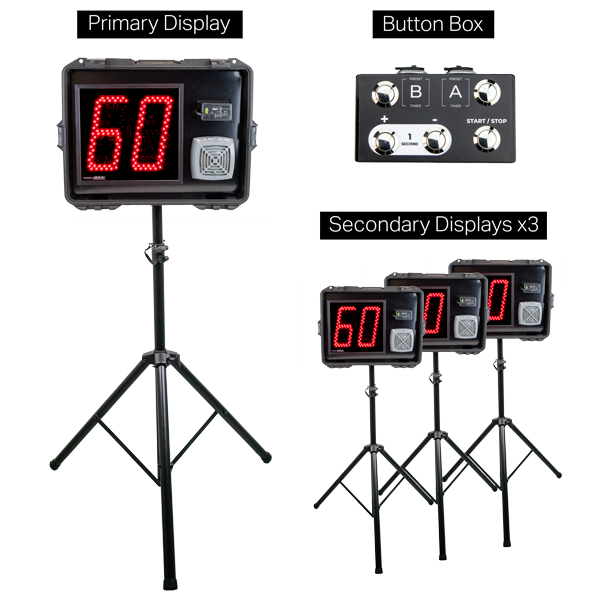
Four portable 12-inch LED shot clocks, one primary and three secondary, all run from one wireless remote. Includes tripods, button box and cables.
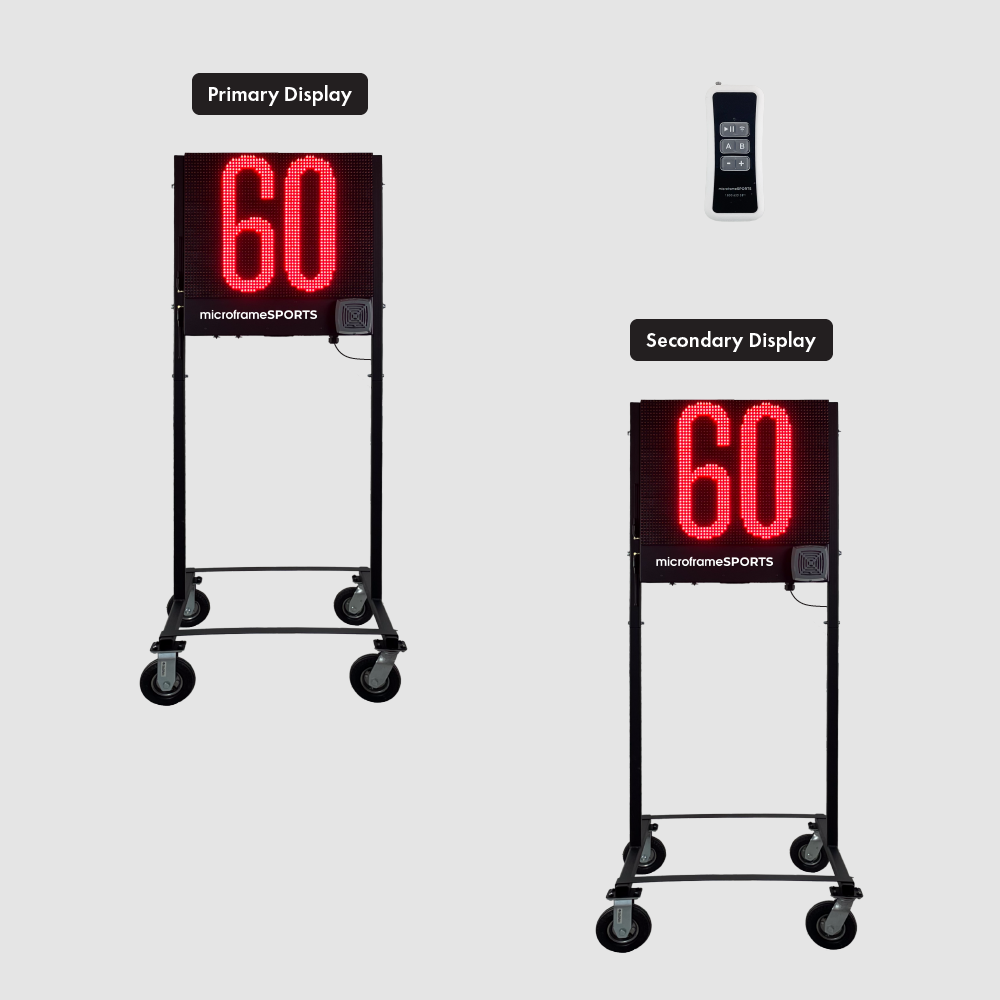
Two 18-inch LED lacrosse shot clocks on rolling stands. AC-powered, with two wireless remotes, a wired button box and a built-in horn.
Talk to us about the Segment Timer. It is designed and built to order in Broken Arrow, Oklahoma, and shipped across the country.