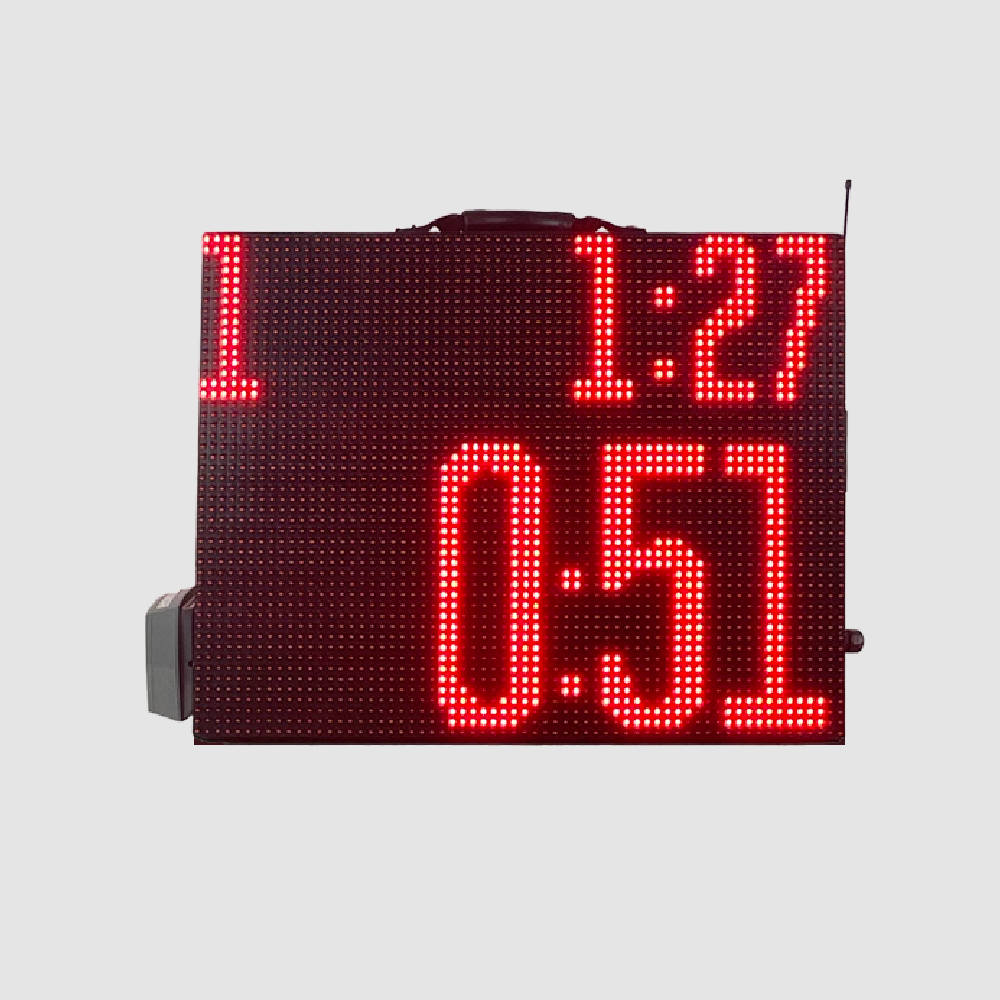
Portable Segment Timer
Program your whole practice once, then run it hands-free. A portable, double-sided red LED timer with app and remote control and warning and final horns.
$1,299.00
Details
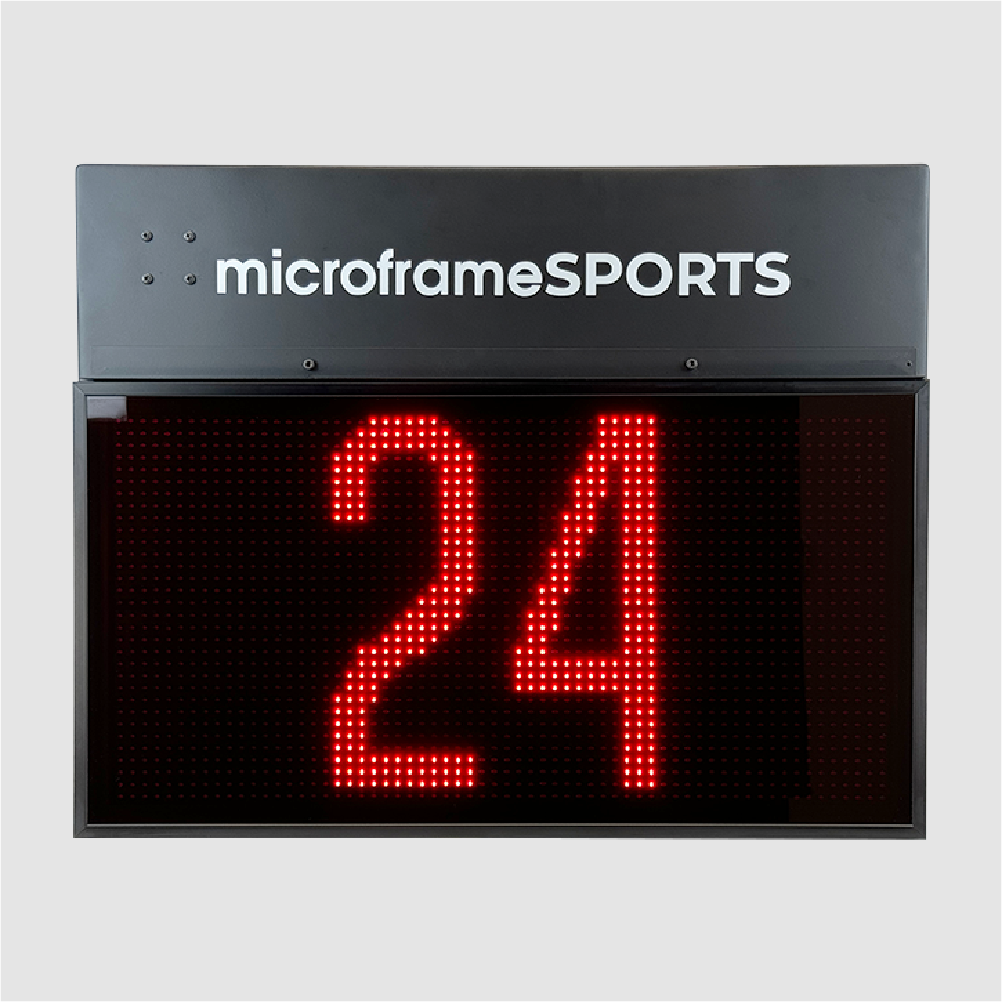
A 12-inch shot clock run from a handheld key fob. Start, stop, reset to a preset and add or subtract seconds, with no phone or tablet needed.
No app, no tablet, no setup screens. Press a button and the clock responds.
Play/Pause, Sync, A, B, plus and minus buttons put the whole shot clock in one hand.
Hold A or B to save the current time, then reset to either preset with one press.
Correct the clock on the fly with the plus and minus buttons.
The primary display syncs to the secondary's signal so both ends match.
The same controls also work from a wired button box connected by cable.
The horn is built in, so everyone hears the shot clock expire.
The MSXT12-RF is the shot clock you can run from your hand. A small wireless key fob starts and stops the clock, resets it to one of two presets, and adds or subtracts seconds. There is no app, no tablet and no scoring system to set up first.
The system uses a primary and a secondary display. Power on the secondary first, then the primary. The primary syncs to the secondary's signal, so both ends of the court show the same time. To pair the fob, hold its Sync button. To save a preset, set the clock to the time you want and hold A or B.
Prefer a wired control at the table? The clocks also work with a wired button box. It has the same Start/Stop, A/B preset and plus/minus controls and connects by cable to the primary and secondary ports.
The MSXT12-RF runs on the same controller board family as Microframe's lacrosse shot clocks. It is designed and built in Broken Arrow, Oklahoma. If you already score with a Microframe scoreboard and app, the MSXT12 or MSXT12GT runs from that system instead.
| Model | MSXT12-RF |
|---|---|
| Digit height | 12 in |
| Control | Handheld wireless key fob |
| Key fob buttons | Play/Pause, Sync, A, B, +, - |
| Presets | Two (A and B), set by holding the button |
| Displays | Primary and secondary; the primary syncs to the secondary |
| Antennas | Two external antenna connectors on the primary display |
| Wired option | Button box with Start/Stop, A/B presets and +/- |
| Horn | Built-in |
| Controller board | Microframe MSL (lacrosse controller board family) |
| Shipping | FedEx, calculated at checkout |
The MSXT12-RF comes with a small wireless key fob, so the shot clock is always in the operator's hand. Play/Pause starts and stops the countdown. A and B reset to your two saved presets. Plus and minus fix the time by a second either way.
You do not need a scoring app, a tablet or a network to set up. Power on the clocks, pair the fob and play.
Taken from the MSXT12-RF quick start guide.
Connect the secondary display to power first, then the primary. The primary syncs to the secondary's signal.
Hold the Sync button on the fob to pair it with the clocks. If it will not connect, extend the fob's antenna for better range.
Set the clock to the time you want, then hold A or B to save it. From then on, one press resets to that time.
Both give you the same controls, so choose whichever suits your table.
Play/Pause, Sync, A/B presets and plus/minus. Run the clock from the table, the sideline or anywhere in range.
Start/Stop, A/B presets and plus/minus on a box at the table, cabled to the primary and secondary ports.
The primary display has two external antenna connectors to carry the wireless signal.
No. The MSXT12-RF runs from its own key fob. If you already use the Microframe scoring app, look at the MSXT12 or MSXT12GT, which run from that app.
The primary display syncs to the secondary's signal. Power on the secondary, then the primary, and both show the same time.
Hold the Sync button to pair the fob with the clocks, and extend the fob's antenna for better range. If it still will not pair, call us at 1-800-635-3811.
Yes. The clocks work with a wired button box that has the same Start/Stop, A/B preset and plus/minus controls. Ask us about adding one to your order.
Call us to confirm exactly what ships with your order, including the number of displays and remotes, before you buy.
Lead times vary with the build schedule. Call us for a current ship date.
Program your whole practice once, then run it hands-free. A portable, double-sided red LED timer with app and remote control and warning and final horns.
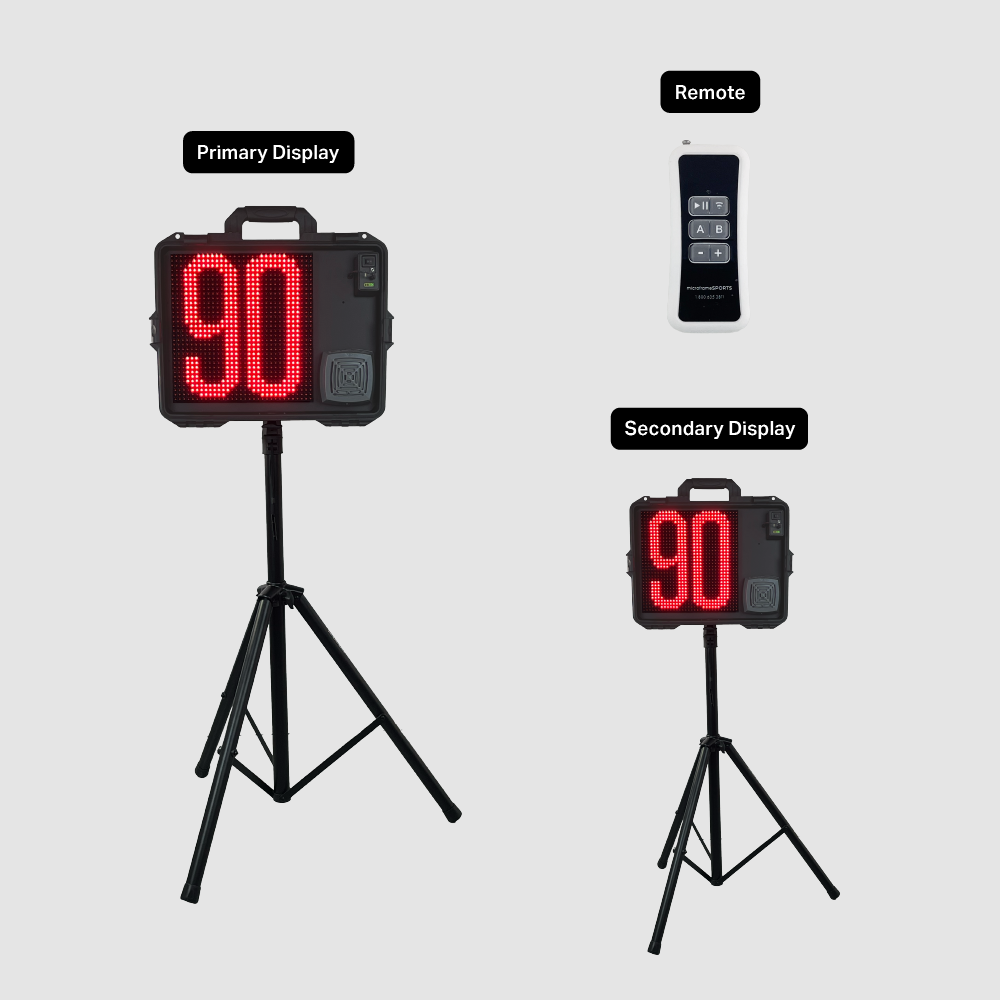
Two portable 12-inch LED shot clocks on tripods, with a wireless remote, a wired button box, a rechargeable battery and a built-in horn.
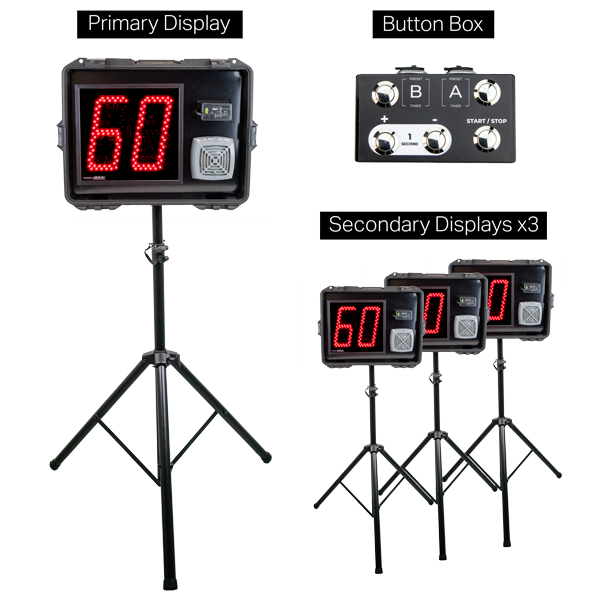
Four portable 12-inch LED shot clocks, one primary and three secondary, all run from one wireless remote. Includes tripods, button box and cables.
Call our team and we will confirm the setup, the controls and the quantities for your court.